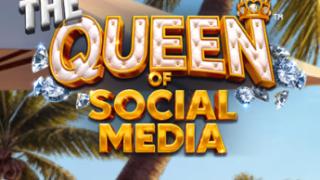
The Queen of Social Media Slot

The Queen of Social Media

The Queen of Social Media Demo

Play Now
Table of Contents

From selfie slots to The Queen of Social Media: where does it sit?

If you’ve spent time with influencer-style slots like streamer-led titles or selfie-heavy “glam” games, you’ll recognize the basic pitch here: neon visuals, a big central personality, and lots of UI clutter that imitates an app. The Queen of Social Media sits slightly off to the side of that crowd. It leans into satire more than aspiration, poking at follower culture instead of trying to sell you the fantasy of actually being an influencer.

Where some social-themed slots chase pure sparkle and lifestyle envy, this one feels closer to a parody Instagram account. The like counters are exaggerated, the poses are borderline ridiculous, and the overlays are just a touch too much. If you prefer your character-led video slots with a raised eyebrow rather than a straight face, this is where it starts to feel more interesting than the typical selfie reel.

That tone shift matters for bankroll-conscious players. The Queen of Social Media looks like it wants you to slam the spin button and chase clips and flashes, the way a real feed is engineered for fast swiping. Underneath the surface, though, the structure is better suited to more deliberate, medium-length sessions with measured stakes. The presentation screams “scroll faster,” but the game tends to reward a slower, more methodical approach.

This review focuses on the pieces that actually affect that experience over time: the visual identity and how readable it stays, how the symbol hierarchy and paytable shape your balance, the mobile versus desktop handling, how it compares to other social media slots, and what the betting ranges mean for different bankroll sizes. It will not walk through every feature in detail or break down the math model beyond a few contextual remarks, because that’s not where this game’s biggest differences show up.


Influencers, filters, and fake perfection: how The Queen of Social Media builds its world

A feed full of reels: first impressions of the layout

Load up The Queen of Social Media and the first thing that hits you is how much of the screen is “app chrome” instead of traditional slot framing. You’re looking at a 5‑reel, 3‑row layout that would be fairly ordinary on its own, but it’s embedded inside what looks like a vertical social feed on a high-end phone. The reels sit in a central “post” card, with a rounded rectangle frame, while everything around them mimics comments, like icons, and follower stats.

At the top of the screen, a profile bar shows the Queen’s avatar, a blue checkmark, and a follower count that ticks up and down at certain moments. Below the reels, a faux comment bar invites you to “drop a reaction,” which is really just the spin button disguised as a big circular emoji. It’s a clever skin, but the amount of information around the grid is noticeably higher than in a standard 5×3 slot.

Readability actually holds up better than the busy layout might suggest. The reel background is a soft, slightly blurred gradient that clearly separates the symbols from the sidebars and headers. During rapid spins, the reels form a solid band of movement in the middle, while the UI elements stay mostly static around the edges. You never really mistake a heart or a notification icon for a symbol, which is important when you’re scanning for particular high-value selfies.

There is, however, a trade-off when it comes to peripheral vision. Because the surrounding interface is styled like an app you might actually use, your eyes have a tendency to drift toward the follower number or the fake “live” badge, especially in slower moments. If you’re the type to watch line hits and symbol patterns closely, you may find yourself ignoring the fluff after a while just to focus on the centre of the screen.

Colour grading, lighting, and the “always online” vibe

Colour choices in The Queen of Social Media ride the line between neon and pastel. Think candy-pink overlays, teal gradients, and a lot of soft purple glow around the Queen’s imagery. It’s designed to feel like a heavily filtered Instagram profile: slightly overexposed, very clean, and just unrealistic enough to look curated. On a desktop monitor this comes across as bright but controlled, while on a smaller phone display it can be almost too sugary if your brightness is high.

For longer sessions, the developers have been smarter than some competitors. The primary reel background is relatively muted compared to the icons and UI shells. Symbols pop with saturation and gloss, but the canvas behind them uses more subdued tones. This reduces eye fatigue compared with social-themed slots that insist on blast-white backgrounds and continuous strobe effects.

Visual feedback on wins leans on glow and sparkles instead of full-screen flashes. When a premium combination lands, you get a halo of soft light around the winning symbols and a few “camera flash” bursts that trail off quickly. There is some motion blur on symbol drops, but it’s restrained; you can still follow what’s coming into view without it feeling smeared. Gradient shifts run behind the reels during certain bigger moments, as if the whole screen is cycling through filters, yet the animation is slow enough that it doesn’t interfere with tracking the grid.

From a pragmatic point of view, the visuals rarely slow the game down in a way that affects play. Animations are fairly short, and you can see the next spin prompt appear as soon as the main effects end. The only times it starts to verge on clutter are stacked premium hits, when you have sparkles, follower pop-ups, and reel highlights triggering at once. If your preference is for clean, minimal layouts, you may find those bursts a bit busy, though they don’t hide the symbols themselves.

Character art and the Queen herself

Character work defines the visual identity. The Queen herself is drawn in a semi-cartoon style, not hyper-realistic but not fully comic either, with exaggerated cheekbones, a permanent soft-focus glow, and a ring-light reflection in her eyes. The effect is instantly readable: she’s supposed to be an over-the-top micro-celeb, the type who never posts without filters and always seems to have a new sponsorship.

Unlike some diva-themed slots that aim for genuine glamour, The Queen of Social Media clearly nudges you toward humour. Her expressions are cranked up one notch too far to feel aspirational. In one high-value symbol, she’s winking with a duck-face pose, phone held just above eye level; in another, she’s sprawled on a couch surrounded by shopping bags and unopened packages. There’s a subtle critique of influencer excess baked into the art direction.

Compared with streamer or pop-princess slots that chase a “cool” factor, this queen is more of a caricature. The fashion is loud, bordering on costume, with neon fur jackets, oversized sunglasses, and logo-heavy accessories. That pays off in terms of clarity: even in a fast spin, you can tell at a glance when the Queen or her closest symbols land, because they have more detail and stronger framing than the rest of the set.

Micro-animations add some life without dragging out each outcome. When her symbol is part of a win, the Queen switches poses rather than just glowing: she flips her hair, adjusts her sunglasses, or turns the phone toward you as if taking a selfie with the player. Idle, she occasionally blinks or shifts her weight in the side avatar bar, so the screen never feels completely static between spins. Over an extended session, the animation cycles do start to repeat, but they are short enough that they fade into the background rather than becoming annoying.

UI chrome, notifications, and visual noise

The non-reel UI is where The Queen of Social Media risks overdoing the concept. On the left side of the screen, a vertical bar shows a rising and falling “engagement” meter and a floating heart counter that occasionally bursts into a flurry of likes. On the right side, small badge-style icons hint at features or modes, framed as “stories” or “collabs.” The bottom panel houses your bet controls, balance, and win display, but it’s skinned to look like a comment thread with your stake displayed as if it were a pinned comment.

From a functional perspective, only a handful of these elements are truly important: the balance, the bet size, and the spin / auto-spin controls. Those remain anchored and clearly labelled, even if the fonts are stylized. The like counters and follower badges are mostly decorative, responding to bigger moments with flashy numbers that don’t actually correspond to your bankroll. If you’re used to reading detailed information off the sides of some modern slots, it can take a few spins to realize which UI parts are meaningful here and which are just flavour.

The main concern for a practical player is whether the app-like shell ever gets in the way. Quick bet adjustments are slightly slower on mobile than on desktop, because the bet selector is a curved slider that sits just above the “comment” spin bubble. On a smaller touchscreen, your thumb can sometimes hit the spin area when you intend to drag the stake, especially in portrait mode. The game does at least highlight the selected bet value clearly in a contrasting colour, so you can double-check before spinning.

Symbol recognition is not heavily impacted by the extra UI, because the reel area is sharp-edged and bordered with a thin white frame that separates it from the surrounding chrome. During heavy animation, such as profile pop-ups, some overlays briefly extend over the top of the reels, but they are semi-transparent and short-lived. The net effect is that the game looks noisier than it plays. Once you mentally filter out the fake notifications, the core slot information remains fairly straightforward to read.


The paytable as a popularity ladder: symbol hierarchy decoded

High-value “celebrity” symbols and what they signal

Premium symbols in The Queen of Social Media behave exactly as you’d expect from a slot parodying influencer culture. At the top sits the Queen’s main portrait symbol, framed in a gold-trimmed square with a small blue-check overlay in the corner. This is the clear star of the show and the highest-paying regular icon. Below that, you get a series of lifestyle images: the Queen filming a makeup tutorial, posing with a designer handbag wall, and taking a mirror selfie in a walk-in closet.

The value hierarchy is communicated visually as much as numerically. The main Queen portrait symbol has the heaviest frame and a subtle animated shimmer on the border whenever it appears, even when it doesn’t form part of a win. The second-tier celebrity shots use silver or rose-gold frames, with slightly smaller icon sizes and fewer background details. That hierarchy is obvious in motion, so you never confuse a mid-tier selfie with the actual top symbol, even when you’re only half-watching the reels.

From a paytable perspective, there is a noticeable gap between the Queen and the rest of the premium set. Three-of-a-kind Queen hits already outpace many mid-tier four-of-a-kind outcomes, and the top line pays for five Queens stand significantly above any other regular combination. This suggests that the game leans on those moments for meaningful balance swings, while the other premiums act as sustainers. You’re looking at a structure where a small number of best-case lines carry disproportionate weight.

That dynamic shows up clearly in how the Queen symbol interacts with your balance over a realistic session. If you go a long run without seeing her land in groups, you may feel like your bankroll is cycling in a relatively narrow band, driven by mid-tier and low-tier hits. When a cluster of Queen symbols does line up across several reels, the jump on the win meter is visibly larger, and the game emphasizes this by briefly zooming in on the line path as if highlighting a viral post.

Art clarity supports this role well. The Queen’s portrait has bold, high-contrast elements: bright hair colour, a distinct makeup palette, and a consistent pose that stands out even when the reels are spinning quickly. Unlike some slots where the top symbol is too ornate or similar to others, this one is recognizable in a fraction of a second. On mobile, you can still spot it easily without squinting, which matters if you like to track how often the key symbol is appearing.

Mid-tier icons: brands, gadgets, and collabs

Mid-paying symbols are built around the props of influencer life. You’ll see a high-end smartphone on a small tripod, a ring light with a camera silhouette, branded coffee cups in a to-go tray, and a stylized “collab” logo that looks suspiciously like a mash-up of known fashion brands without directly copying any of them. These icons are framed more simply than the Queen’s images, usually with clean coloured borders and a flat background instead of full scenes.

Visually, these mid-tiers form a bridge between the full character art and the leaner low-tier set. The smartphone and ring light share similar neon accent colours with the Queen’s frames, reinforcing their importance without overshadowing the main portrait. The coffee cup and collab logo step down another notch, with more muted backgrounds but still distinct shapes. You can tell you’re in the mid-value band as soon as you see hardware or branding rather than faces.

Structurally, the mid-tier symbols play a classic buffering role. They show up frequently enough to punctuate runs of low-value hits, helping to keep your balance from eroding too quickly when the top portrait symbol is absent. Three-of-a-kind mid-tier wins typically cover a fair portion of a spin’s cost, especially at modest stakes, while four or five of a kind can edge you into modest profit on a single spin without feeling major.

From a bankroll-conscious perspective, the spacing between these mid-tier payouts and the low-value ones matters more than the exact numbers on the paytable. In The Queen of Social Media, the difference is noticeable but not extreme. You’re not seeing mid-tier lines that suddenly spike into near-premium territory; instead, they step you up gradually from the base level. That design keeps expectations realistic. You treat mid-symbol hits as minor boosts, not as life-changing events, which aligns with the game’s apparent intent of supporting moderately long, steady sessions.

Colour framing is key to keeping those distinctions clear on smaller screens. The smartphone and ring light use bright blues and whites that stand out against the pink and purple background, while the coffee and collab symbols lean on saturated reds and yellows. Even during faster autoplay cycles, your eye can quickly register whether a hit involved mid-tier items based on those colour flashes, without having to consult the paytable again once you’re familiar.

Low-value symbols dressed up as UI elements

On the lower end, The Queen of Social Media does something slightly more imaginative than just dropping in card ranks. The low-paying symbols are mostly stylized app icons and reaction emojis: a thumbs-up button, a heart, a “share” arrow, a speech bubble, and a bell notification badge. There is still a nod to traditional slot structure, with colour coding roughly mapping onto what would usually be J–A ranks, but the visuals sell the idea that these are the disposable, everyday bits of a social feed.

From a readability standpoint, the design is functional but not flawless. Each low symbol uses a distinct primary colour and shape, which helps when the reels are spinning quickly. The heart is distinctly different from the thumbs-up, and the share arrow has a unique outline. However, the glossy, rounded icon style means that, during high-speed autoplay, some of the mid-sized shapes can blur slightly into a general “bright blob” effect. You still know you’ve landed low-tier wins, but you may not process exactly which low icon formed the line until the game highlights it.

For a bankroll-focused player, the main question is how these low-value combinations behave over time. The paytable positions them as frequent, shallow outcomes. Three-of-a-kind lines often cover only a small fraction of your stake, while four or five of a kind might roughly match or modestly beat your bet amount, depending on the exact symbol. As a result, you see a pattern where low-tier wins soften the blow of non-paying spins rather than truly pushing your balance forward.

Line density also affects how those outcomes feel. The game uses multiple fixed paylines running through the grid (rather than cluster payouts), so you’ll regularly see mixed results where one line hits a mid-tier gadget while another catches a few low icons. These layered wins can visually look more substantial than they are, especially when several low symbols light up, but the actual boost to your bankroll stays moderate. Once you get used to the value scale, it becomes easier to read the win display and not overestimate those stacked low-tier flashes.

Cognitively, the low icons are easy enough to learn, and the game helps by showing a brief, discrete highlight trail along the payline whenever a win occurs. That trail line is a simple white or light blue path that moves across the reels, not a full-blown animation, so it doesn’t add much visual clutter. For someone carefully watching balance over time, this clarity matters: you can quickly see whether a given spin was mostly low-tier noise or whether a meaningful mid or premium symbol carried the result.


Mobile vs desktop: where The Queen of Social Media actually feels native

The Queen of Social Media is clearly designed with phones and tablets in mind. On mobile, especially in portrait mode, the whole interface reads almost like a real app, with the reels stacked centrally and the profile bar and faux comments fitting naturally above and below. The spin button as an emoji bubble is easy to hit with a thumb, and the key metrics (balance and stake) sit close to your natural grip area.

In landscape on desktop, that same interface expands into a wider, slightly emptier frame. The reel set remains central, but the sidebars with hearts and “stories” take up more space and feel more ornamental. On a standard monitor, you gain clarity and room for the paytable and settings panels, but you lose some of the “fake social app” illusion. For many Canadian players who split time between laptop and phone, the choice comes down to preference for immersion versus control precision.

Usability differences are modest but worth noting. Bet adjustments and auto-spin setup are faster and more precise with a mouse, thanks to clearly segmented buttons and sliders. On mobile, those same controls are nested behind small icons that mimic app menus, which looks elegant but adds an extra tap or two when you’re actively adjusting stakes. If you tend to tweak your bet size often mid-session, desktop or tablet landscape might feel more efficient than a small phone in portrait.


Where it sits among other social media and influencer slots

Compared with other influencer-themed slots on the market, The Queen of Social Media takes a more pointed stance. Many social or streamer slots lean into uncritical celebration: big wins framed as “clips,” non-stop confetti, and a protagonist you’re meant to admire. This game instead turns the dial toward exaggeration, poking fun at follower obsession with inflated metrics and cartoonish product shots.

In terms of complexity, it sits somewhere between simple selfie slots with minimal UI and the heavy-duty streamer titles loaded with chat windows and fake live feeds. There’s a noticeable amount of chrome here, but not to the point where the reels feel secondary. If you’ve tried games where chat scrolls up one side of the screen and sponsor banners hog the corners, this one feels more streamlined and less chaotic.

Thematically adjacent games often struggle with readability because they try to cram actual social features into the slot experience. The Queen of Social Media keeps the illusion confined to static elements: you see likes and follows jump, but you don’t have fake chat bubbles overlapping the reels or constant feed updates mid-spin. That makes it a more viable option if you like the idea of a social-media theme but get tired of UI gimmicks that interfere with tracking outcomes.


Betting ranges and sizing for Canadian bankrolls

Betting in The Queen of Social Media covers a fairly standard spectrum, with a low floor that suits cautious play and a top end that will satisfy more aggressive bankrolls. Exact numbers vary by casino operator and currency handling, but you can generally expect a minimum stake that’s accessible for small-session players and a maximum that offers enough exposure for those treating it as a main feature game rather than a side diversion.

The stake selection system uses a single overall bet control rather than separate coin and line options, which simplifies things. You choose a total bet level, and all paylines stay active. For Canadian players managing their balance in CAD, this makes it easier to think in straightforward per-spin terms instead of juggling abstract coin values. It’s a structure that naturally supports picking a comfortable per-spin amount and sticking with it, rather than constantly chasing the last outcome with rapid stake changes.

From a conservative perspective, the game is friendlier to mid-range, flat betting than to aggressive step-ups after wins. The visual design tries to tempt you into treating it like a fast-scroll experience, increasing stakes as soon as the screen starts flashing. If you want your balance to last, a steadier approach tends to mesh better with how the symbol hierarchy actually pays out over time.


Where this slot quietly shines

The Queen of Social Media has a few subtle design choices that don’t jump out in the first five minutes but matter across a longer session.

One is the clarity of the top symbol framing. The Queen portrait is not only visually distinct; its border shimmer at appearance (even on losing spins) gives you instant feedback about how often the key icon is showing up. Many slots hide that information in noise. Here, you can gauge streaks without constantly checking stats.

Another is the restraint in screen-wide flashes. Wins are celebrated with contained glows and modest animations instead of full whiteouts or shake effects. That keeps your eyes fresher and reduces fatigue, especially if you’re spinning on a brighter phone screen in low light, which is a common real-world scenario.

A third quiet strength is the way the app-themed UI mostly stays out of the way when you’re not interacting with it. Notifications appear as short, contained bursts and then settle down. Bet controls highlight clearly when touched, with a slight “press” motion that confirms changes. You spend less time second-guessing whether a tap registered, which sounds minor but adds up when you’re adjusting stakes over dozens of spins.

Finally, the satirical tone gives it a bit more staying power than straight-glam slots. Even after the novelty of the filter jokes wears off, the mix of caricatured art and solid symbol readability holds up. It avoids the uncanny “wannabe celebrity” feeling that some influencer games fall into, making it easier to treat as a game rather than a lifestyle ad.


Slot fingerprint

  • Satirical Instagram-style theme with a caricatured influencer queen and exaggerated follower counters.
  • Clear premium hierarchy, with the Queen portrait framed and animated distinctly as the main bankroll driver.
  • Low symbols reimagined as app reaction icons, creating a consistent “social feed” visual language across the grid.
  • Mobile-first interface that looks like a vertical social app, with reels embedded as a central post and spin as an emoji bubble.
  • UI chrome that sells the social concept without constantly intruding on symbol visibility, keeping the core 5×3 grid readable on both phone and desktop.

More Slots from Betsoft

Cookies We use essential cookies to ensure our website functions properly. Analytics and marketing are only enabled after your consent.